
Resources / Worksheets
The Worksheets That Make Production Real
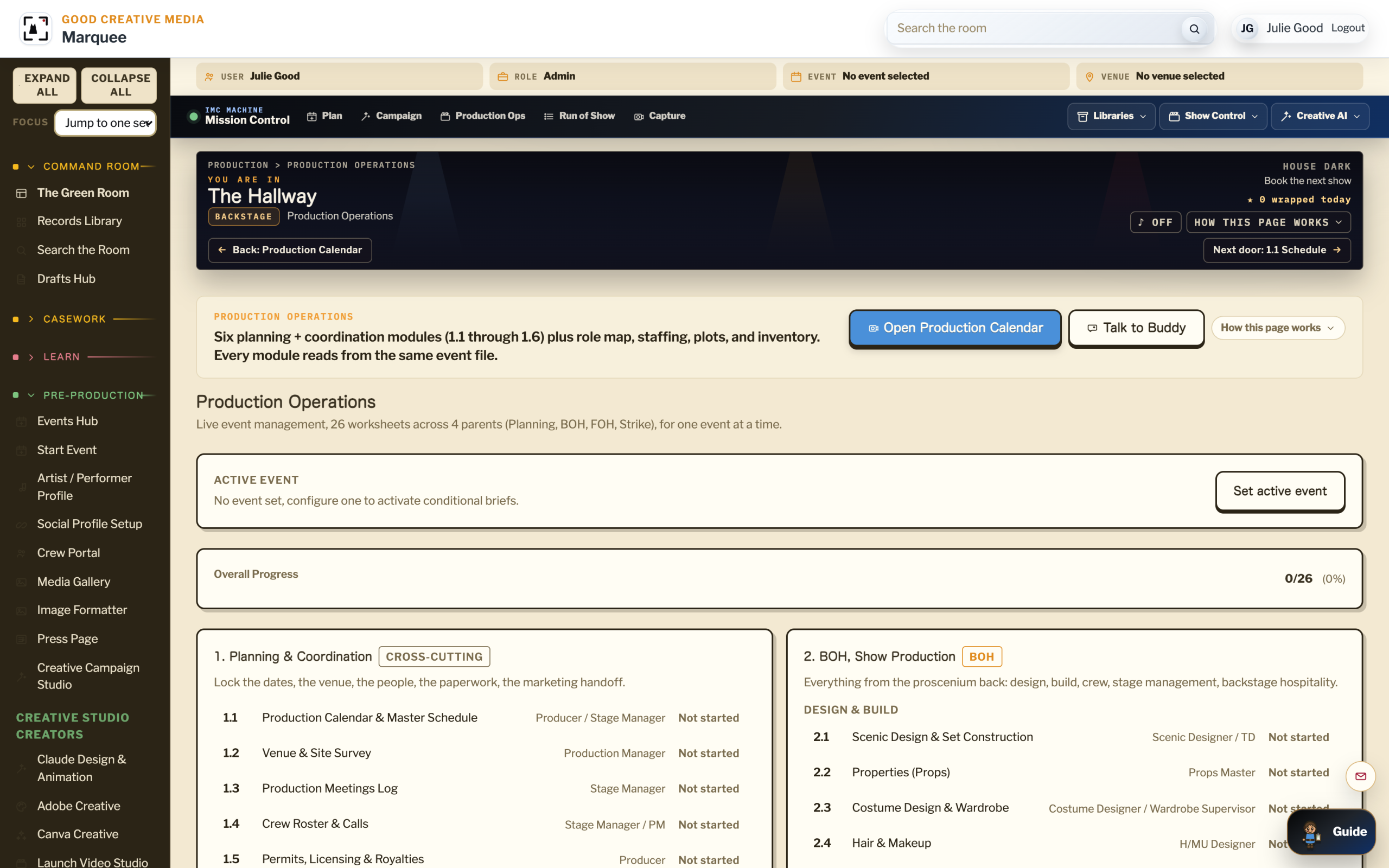
You get six structured worksheets that turn pre-production into accountable work. Each form captures the facts, responsibilities, timing, and approvals your show, matter, or campaign needs before release.
01 What Worksheets Are
Structured Forms For The Deliverables A Real Production Advance Requires.
A worksheet is not a checklist. A checklist is a list of things to remember. A worksheet is a structured form that captures the specific deliverable a department, a venue, or a partner expects to receive. Each worksheet in The IMC Machine corresponds to one pre-production deliverable, numbered in working order, with required fields that exist because the field has been the source of a real show day failure.
02 The Six Worksheets
Worked In Numerical Order,One Through Six.
1.1
Schedule
The master production schedule from load-in through last call, with sound check, doors, set times, and load-out.
1.2
Venue Survey
The pre-event walkthrough of the room with load-in directions, house tech inventory, fire code notes, and on-site contacts.
1.3
Meetings Log
Structured log of every pre-production meeting, advance call, and artist check-in, with attendees, decisions, and next steps.
1.4
Crew Roster
Department-level crew assignments with call times, contact info, and the department head responsible for each crew.
1.5
Permits And Insurance
Permit tracking, insurance documentation, emergency action plans, and the audit trail for what was filed, where, and when.
1.6
Marketing Timeline
The marketing campaign timeline anchored to the production schedule, so the press window matches the production reality.
03 Where They Live
Inside Production Operations,Anchored To The Event Record.
Every worksheet lives inside the Production Operations control panel, attached to the event record. Open the event, open Production Operations, and the six worksheets are listed in order. They share data with the event record, so the schedule a venue manager fills in shows up on the run of show the stage manager builds.
04 Who Uses Them
One Worksheet Per Role,Sized To The Job.
Producer / Promoter
Owns the full set. Works 1.1 through 1.6 in order before the show.
Venue Manager
Owns 1.2 Venue Survey. Reviews 1.5 Permits for the room.
Stage Manager
Owns 1.1 Schedule and 1.4 Crew Roster. Builds the run of show from both.
Artist Manager
Owns the rider hand off and the schedule check inside 1.3 Meetings.
Marketing Lead
Owns 1.6 Marketing. Anchors the campaign timeline to the production schedule.
Crew Lead
Reads 1.4 Crew Roster. Confirms department assignments and call times.
Ready To Work These On A Real Show?
Open Production Operations and start with 1.1 Schedule. Or read the full Production Hub course first to see how the six worksheets fit together.
